Buddy Calls Demo
See Buddy Calls in action — approvals, themes, and keyboard navigation.
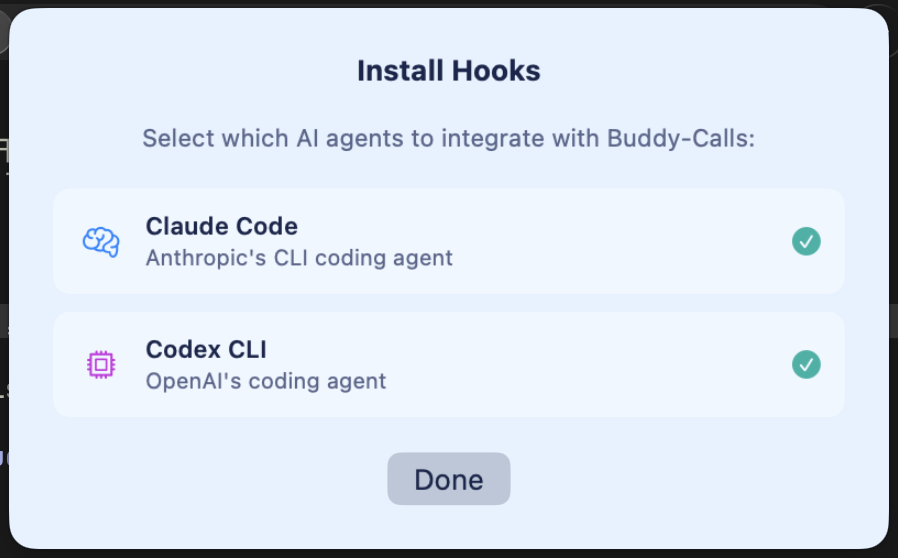
One-Click Agent Setup
Select which AI agents to integrate. Claude Code and Codex CLI hooks install automatically.
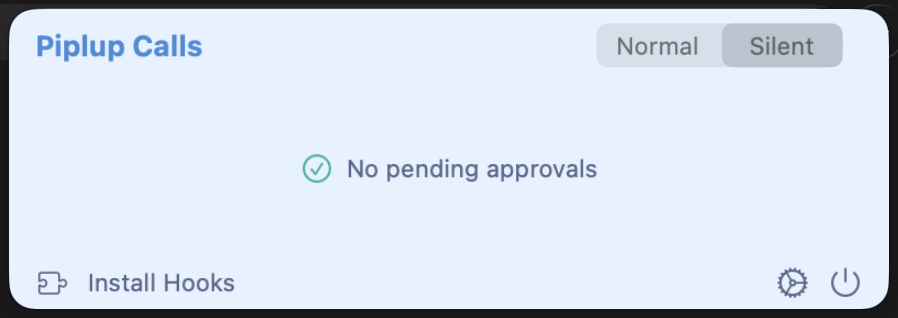
Stays Out of Your Way
When there are no pending requests, Buddy shows a clean, minimal status — zero distractions.
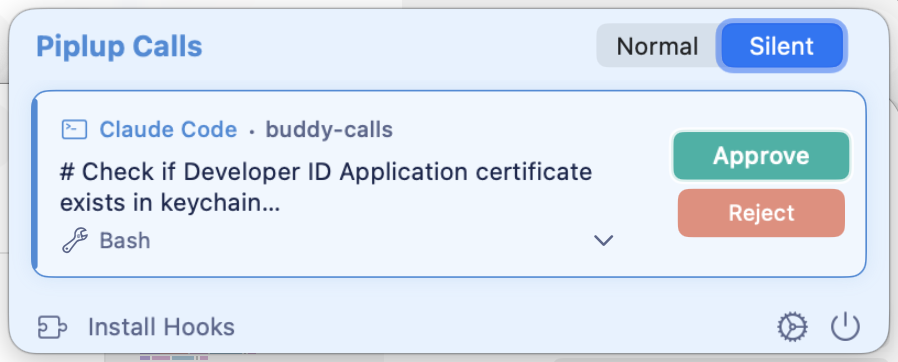
One-Click Approvals
Approve or reject AI agent requests right from your menu bar. See command details before you decide.
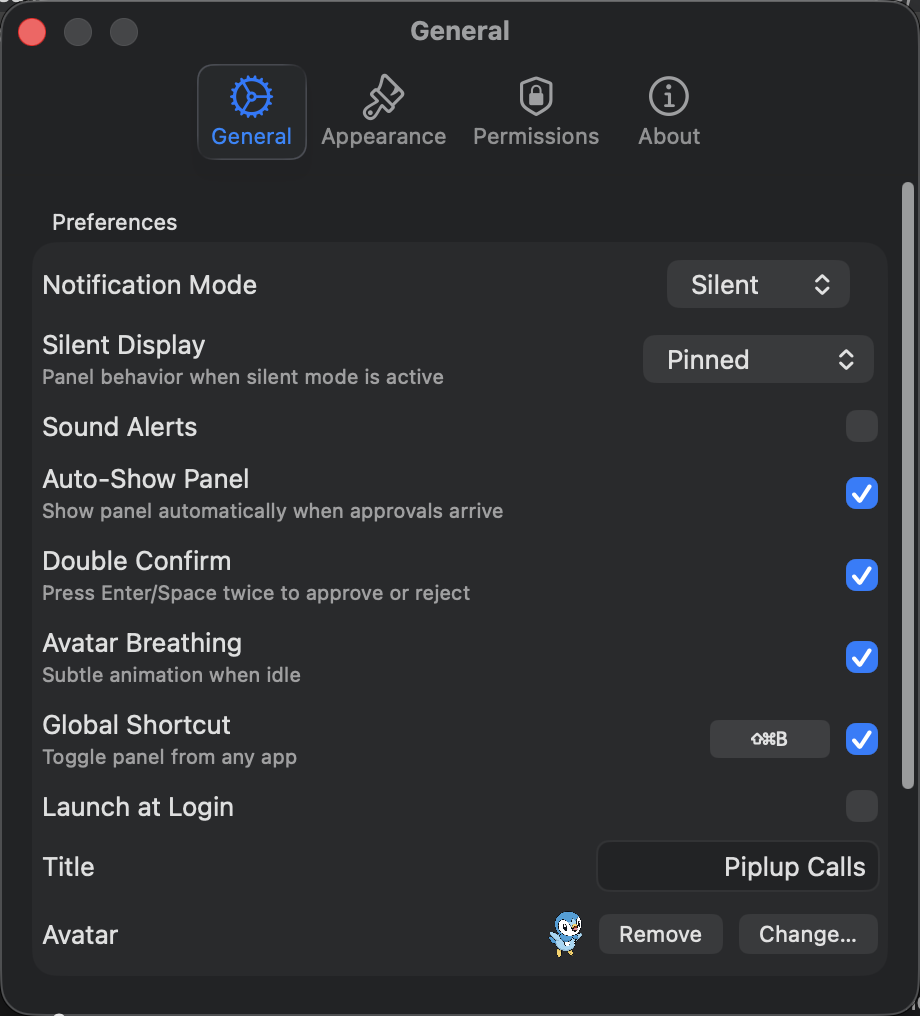
Flexible Settings
Configure notification mode, sound alerts, global shortcuts, double confirm and more.
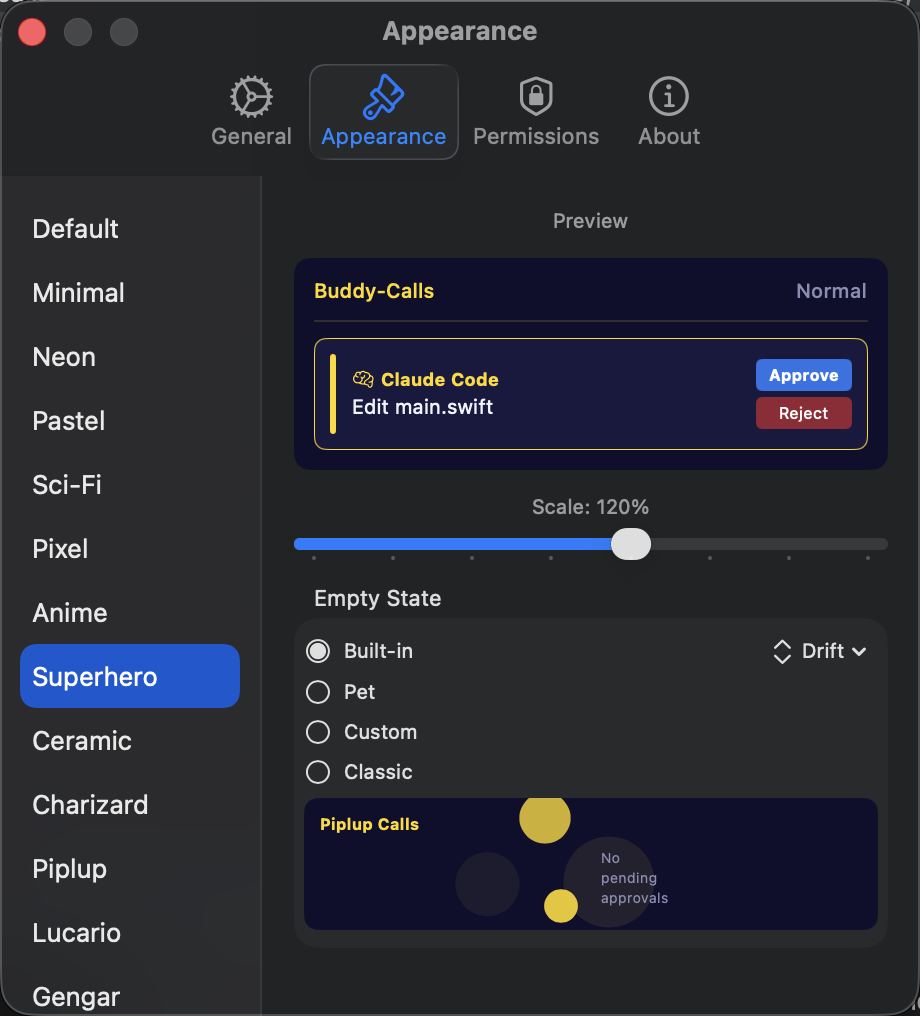
15+ Themes
Choose from Piplup, Charizard, Gengar and more. Preview themes live and adjust the scale to your liking.
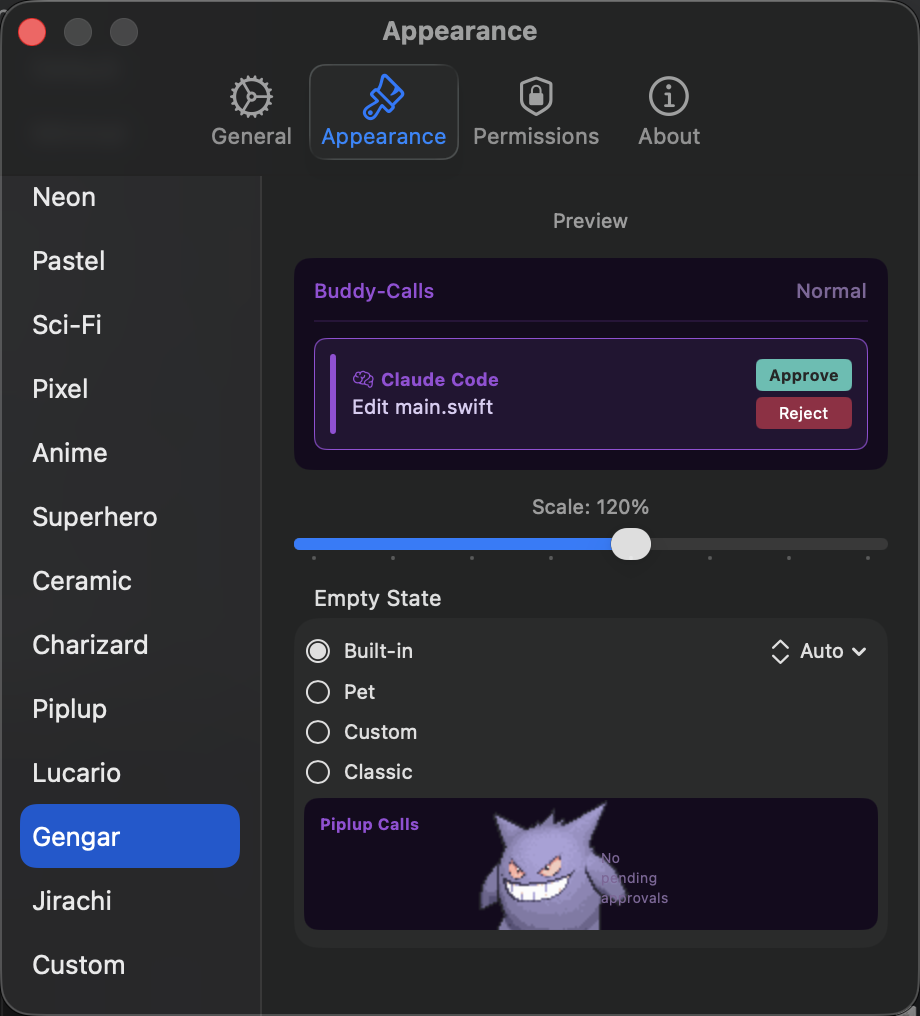
Dark Themes
Gengar, Neon, Sci-Fi and more dark themes — easy on the eyes for late-night coding sessions.
Features
Everything you need, nothing you don't.
Centralized Approvals
Three card types in one panel: tool approvals (Approve/Reject), plan reviews (Review Plan / Implement / Keep Planning), and agent questions (Go to Terminal + copy to clipboard). No more hunting through terminal tabs.
Menu Bar Integration
Four notification modes for every workflow: Normal (auto-show + sound), Silent Badge (no interruption), Silent Passive (auto-show without stealing focus), and Silent Pinned (always visible). Know when agents need you without breaking flow.
Multi-Agent Support
Works with Claude Code and OpenAI Codex CLI out of the box. Hooks auto-install on first launch.
Jump to Terminal
Double-click any request to instantly activate the corresponding terminal window — supports Ghostty, iTerm2, and Terminal.app.
Permission Insights
Analyzes your approval patterns and generates ready-to-paste permission rules, so agents learn your preferences over time.
Pixel Pets & Themes
15+ built-in themes — Charizard, Piplup, Gengar, Superhero, and more — plus a full idle-state system: choose from Lottie animations (Drift, Pulse, Calm, Flow), 7 animated pixel pets (Penguin, Cat, Panda, Dragon…) with idle and sleep states, or import your own APNG/GIF.
SSH Remote Support
Use the ag-ssh CLI tool to tunnel Buddy's server to remote machines. Manage agents on cloud dev boxes from your local menu bar.
Smart Card Expansion
Tool input details — Bash commands, Edit diffs, Write content — auto-expand on first press. Second press executes. A 5-second auto-reset timer prevents stale expansions.
Keyboard Navigation
Full keyboard control — arrow keys to select, Space/Enter to execute, Cmd+Shift+B global hotkey to show/hide from anywhere. Optional Double Confirm mode prevents accidental approvals.
How It Works
Buddy sits in your menu bar and listens for permission requests from AI coding agents. When Claude Code or Codex needs approval to run a command, create a file, or execute code — Buddy shows a notification panel right where you are.
Normal Mode pops up the approval panel automatically with optional sound alerts. Silent Mode shows just a badge count, so you stay in flow until you’re ready. Customize the look with 15+ built-in themes — from clean Minimal to fun Pokémon-inspired designs like Charizard and Gengar.
Every approval or rejection is persisted as JSON and viewable in the Permissions tab — even across sessions. The Permission Insights feature analyzes these patterns and generates prompt snippets you can paste back into your agent’s config to reduce future interruptions.
Free & Open Source
Buddy Calls is completely free and open source. Download the app, explore the code on GitHub, and contribute. No sign-up, no license keys, no restrictions.
Pricing
Simple, transparent pricing.
Support the Project
If you find this app useful, consider buying me a coffee!


Frequently Asked Questions
What AI agents are supported?
Currently Claude Code (via native PermissionRequest hooks) and OpenAI Codex CLI. More agents like Cursor and Gemini CLI are planned.
Does it work with remote servers?
Yes! The included ag-ssh tool tunnels Buddy's HTTP server to any remote machine via SSH, so you can manage remote agents from your local menu bar.
Is it really free?
Yes — Buddy Calls is completely free and open source. No trials, no subscriptions, no feature gates. All features are available to everyone.
Where is the source code?
The full Swift source code is on GitHub at github.com/TolemyW/buddy-calls. You can study, modify, and contribute to the project.
Does it access my code or agent data?
No. Buddy only sees the permission request metadata (tool name, command). It never reads your code, files, or conversation context.
Why not on the Mac App Store?
Buddy requires accessibility APIs and process management that conflict with App Store sandboxing. It's distributed as a notarized DMG with free auto-updates via Sparkle.